With an abundance of Chrome extensions (small browser apps to tailor Chrome functionality to your needs) out there to empower your workflow, it can be overwhelming figuring what works for you and what doesn’t. And quite frankly, who has the time to test them all out only to find they used some cheap gimmicks with limited practical uses? We do. So without further ado, here are six Chrome extensions for picture buyers, photo editors and anyone who works with images.
Eye Dropper
Found a colour that you love but want to know its hex code or RGB value? This Eye Dropper tool can help you with exactly that. It’s by far my most-used Chrome extension as there’s no other way to pick a colour from a webpage.

Hover Zoom+
In world where technology is growing exponentially, it can be frustrating when many images can only be viewed as thumbnails. Anyone who uses Google Images regularly is familiar with this pain. Remember the good old days when you could access the full-size image easily? Seems like ages ago now but if you experience this problem, try Hover Zoom+.
Muzli 2
Inspiration can come from all kinds of places and I’m sure many of us have our own inspiration sources set up already. Dribbble, for example, is a wonderfully eclectic and useful site but have you tried Muzli 2? It’s simple, easy on the eye and replaces your default tab to give you your daily intake of inspirational superfoods. By aggregating inspiration sources all into one place (Dribbble is on Muzli), you no longer have to go on long, arduous journeys to jumpstart your creative juices.
Pablo
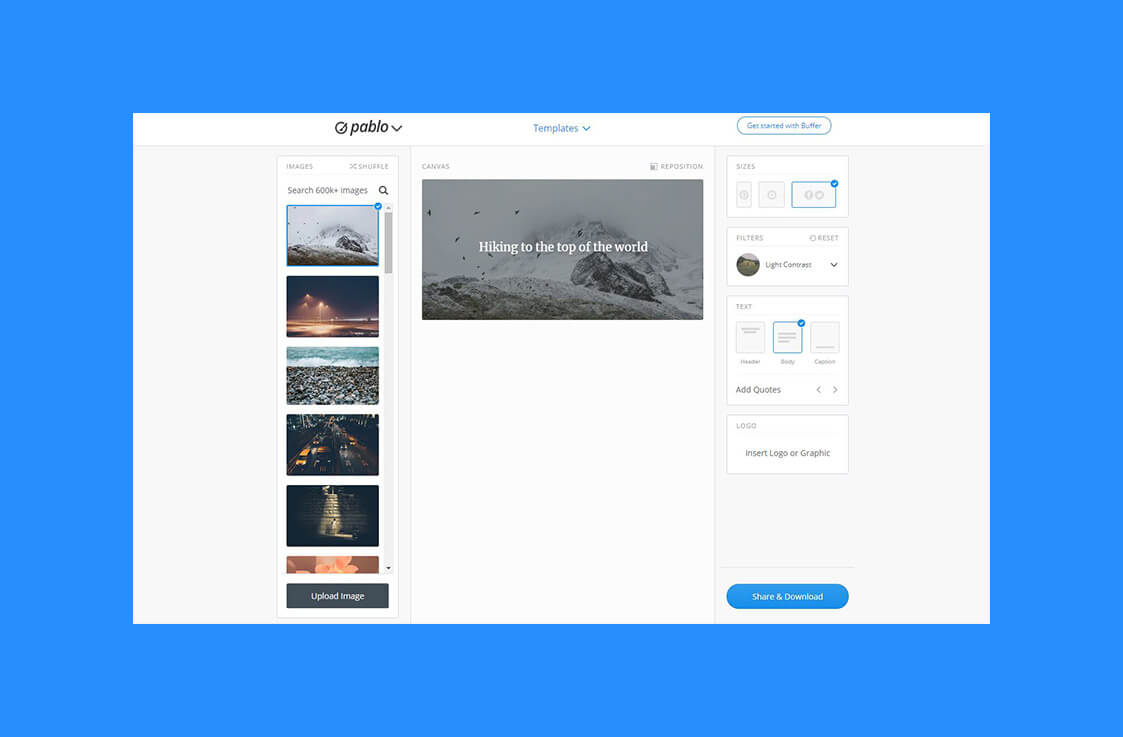
It can be hard cutting through the endless noise on social media. But it doesn’t have to be. With Pablo, it’s really easy to create beautifully layered imagery that demands attention from your audience. And best of all, it resizes images for each social media platform.
Pixlr Editor
If you need something a bit more powerful than Pablo but don’t want to splash out on a full editing suite, Pixlr Editor can cover most basic needs. It’s surprisingly powerful with more tools than you’d expect and even gives you layer control. But if you need something with even faster workflow, then check out Pixlr Express. Or maybe you want to apply Instagram-like filters with ease, then Pixlr-o-matic is the one for you.
Lightshot
Windows does indeed have its own snipping tool to make screenshotting easier, but it still has some deficiencies. Thankfully, there are a range of options for you but Lightshot takes the crown for being easy to use and is equipped with enough features so you don’t have to constantly import screenshots into Photoshop or Pixlr.